


Key Points:
- Device counts should reflect real office use, not employee numbers alone.
- Site surveys help uncover interference, weak zones, and roaming problems early.
- Access point placement should follow demand instead of equal spacing patterns.
- Wired network limits can become hidden bottlenecks behind strong Wi-Fi coverage.
- Switch capacity, cabling, and power should be checked before expansion.
- Separate access policies help protect business systems from guest and personal devices.
- Real-workday testing can reveal problems that quiet office conditions may hide.
- Scalable pathways and spare capacity make future Wi-Fi upgrades easier.
- Clear testing records help technicians troubleshoot changes without redesigning.
Houston offices can put a surprising amount of pressure on Wi-Fi. It’s no longer just laptops and a few company phones. Employees may connect tablets, headsets, smart displays, printers, cameras, meeting systems, and personal devices throughout the day. Then a large meeting starts, twenty people join video calls, and the network that seemed perfectly fine at 8 a.m. suddenly slows down. That kind of traffic needs more than basic wireless coverage.
The real question isn’t simply, “Can people connect?” It’s whether they can stay connected when the office gets busy. Coverage, device density, interference, cabling, switch capacity, security, and future growth all play a part. If those pieces are planned together, the wireless network has a much better chance of handling real business use without constant fixes. And when the company expands later, the upgrade doesn’t have to begin from scratch.
Commercial Planning for High Device Demand
A commercial Wifi installation should start with a realistic picture of device use, not just a staff headcount. One employee may connect a laptop, smartphone, tablet, and wireless headset before lunch. Meeting rooms add another burst of activity when several people join cloud calls at once. So, a 100-person office can easily have far more than 100 active devices. That difference matters when deciding how much wireless capacity each area needs.
Usage also shifts during the day, which is easy to underestimate. Reception may be quiet after morning arrivals, while a training room suddenly fills with 40 people for two hours. A break area can become another high-traffic zone around noon. Rather than treating the whole floor equally, designers need to understand these patterns. That way, capacity goes where people actually use it instead of being spread evenly simply because the floor plan looks balanced.
Access Point Placement Needs Some Restraint
More access points do not automatically mean better Wi-Fi. Sometimes they make things worse. Put them too far apart and users hit weak areas; pack them too closely and signals can overlap more than they should. Designers have to consider walls, ceiling height, room use, interference, and the number of devices in each area. Equal spacing may look tidy on a drawing, but wireless performance rarely follows such a neat pattern.
There’s another practical issue that often gets ignored: access later. An access point tucked above a difficult hard ceiling may work beautifully, right up until someone needs to service it. Then a simple task becomes a lift, after-hours access, and extra labor. In practice, a slightly different location can deliver similar coverage while being far easier to maintain. Good design balances performance with access rather than chasing the perfect signal position at any cost.
The Wired Network Can Become the Hidden Bottleneck
A commercial wifi installation still relies on cables, switches, power, and uplinks behind the scenes. Wireless devices may communicate through the air, but their traffic eventually reaches the wired network. If older switches are already near capacity, adding newer access points can expose the problem quickly. The office may spend money improving wireless coverage only to discover that the real slowdown now sits in a telecom room several floors away.
Consider a growing office that adds six modern access points for a new department. Everything looks right until those units begin drawing more power and moving more traffic than the older switches were built to handle. Suddenly, connections become inconsistent. Reviewing Power over Ethernet capacity, uplink speeds, cabling, available switch ports, and rack space beforehand prevents that kind of mismatch. It’s a less exciting part of Wi-Fi planning, but often one of the most important.
Business Wi-Fi Surveys for Smoother Office Roaming
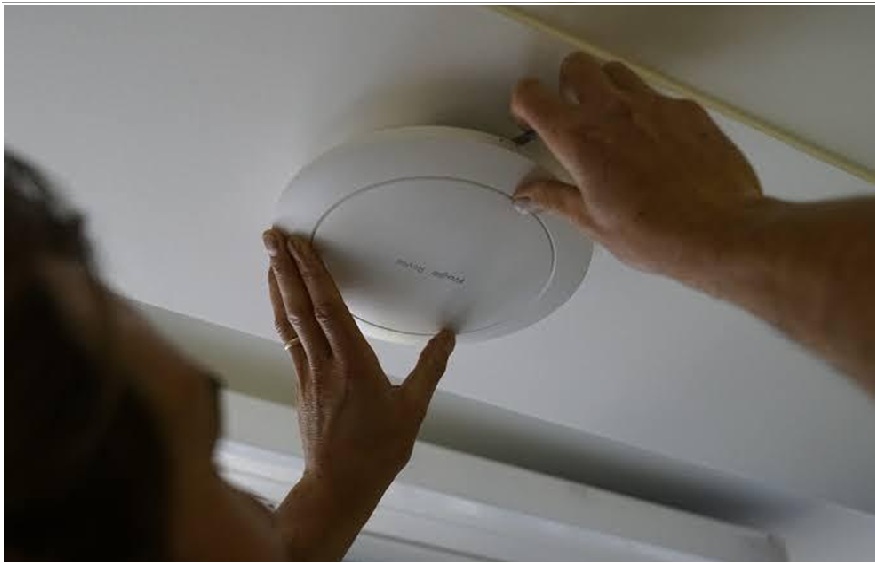
Wireless signals don’t care how neat an office looks on paper. Glass walls, concrete columns, metal shelving, elevators, neighboring networks, and even certain equipment can affect how signals travel. A site survey shows what is really happening inside the space. It can uncover weak corners, heavy interference, or areas where several access points are competing. Those findings are much more useful than placing equipment based only on room size or convenient ceiling locations.
For a business Wifi installation, movement matters too. Employees rarely sit in one place all day. They walk from desks to conference rooms, elevators, shared spaces, and other departments while staying on calls or connected to cloud tools. A network may test well when someone stands still but behave badly during that walk. Roaming checks help reveal those awkward handoff points before users turn them into daily support tickets.
Security Should Fit How People Actually Connect
Office wireless networks rarely serve only full-time employees. Guests, contractors, vendors, personal devices, and temporary staff may also need internet access. Giving everyone the same level of network access creates unnecessary risk. Separate wireless networks, clear login rules, and sensible authentication can keep business systems better protected without making connectivity frustrating. Security works best when it’s built into the design early, rather than added later after hundreds of devices are already connecting.
A business wifi installation should also be manageable without technicians walking from access point to access point every time something changes. IT teams may need to update passwords, remove old users, review connected devices, or adjust guest access quickly. Central management can make those jobs easier. The exact setup will depend on the office, of course, but the basic idea is simple: keep access convenient for approved users without treating every device as equally trusted.
Testing Should Look Like a Normal Workday
A quiet office can make almost any wireless network look good. That’s why testing only after hours may give a false sense of confidence. Whenever practical, teams should check signal quality, speed, roaming, and connection stability while people are actually working. Meeting rooms, shared spaces, corridors, reception areas, and busy departments deserve extra attention. A problem that disappears at 7 p.m. may return immediately when 150 employees arrive the next morning.
Testing is not a one-time task either. Office layouts change. New glass partitions go up, departments move, furniture changes, and more employees bring additional devices. Six months after a renovation, complaints may appear in a place that used to work perfectly. Keeping original floor plans, access point locations, equipment details, and test results makes later troubleshooting far quicker. Technicians can compare what changed instead of treating the entire network like an unknown problem.
Planning for Growth Prevents another Full Redesign
Wireless demand almost always moves in one direction: up. A company may add staff, expand into another floor, use more cloud applications, or install additional connected equipment. Planning some spare switch capacity, useful cable routes, and room for extra access points can save a lot of trouble later. The point isn’t to overbuild everything now. It’s to avoid creating a network that becomes difficult to expand the moment business activity increases.
There is a tradeoff here. Building in flexibility can cost more at the start, but planning only for today may make future work much more disruptive. An office adding 75 employees next year will be grateful if spare ports and suitable pathways already exist. Without them, a relatively small wireless expansion can turn into ceiling work, new cabling, switch replacement, and scheduling headaches. A little forward planning usually gives the business better choices later.
Conclusion
Heavy device traffic changes what businesses should expect from office Wi-Fi. Strong signal bars alone are not enough. Reliable performance depends on realistic device counts, good site data, sensible access point placement, capable wired infrastructure, secure access, testing, and room for growth. When those pieces are handled together, the network becomes easier to manage and less likely to struggle every time a meeting room fills up or another department adds new wireless devices.
CMC Communications supports Houston commercial properties with Wi-Fi design, installation, structured cabling, testing, and related network services. Their team can review office layouts, device demand, interference, cabling, switch capacity, and likely growth before work begins. That broader approach helps businesses avoid short-term wireless fixes that create new bottlenecks somewhere else, while giving them a network that can be maintained, adjusted, and expanded more comfortably as everyday connectivity needs continue to change.
Frequently Asked Questions
Question: How many devices should an office include when planning Wi-Fi capacity?
Answer: Businesses should count far more than employee laptops. Phones, tablets, printers, meeting systems, cameras, headsets, and personal devices may all connect during the same day. It also helps to look at busy periods. A 30-person meeting room can place much more pressure on Wi-Fi for an hour than several quiet offices do across an afternoon.
Question: Why can office Wi-Fi feel slow even when the signal looks strong?
Answer: Strong signal bars only show part of the picture. Too many devices may be sharing one access point, interference may be high, or the wired network behind the Wi-Fi may be reaching its limit. Proper testing looks at signal quality, traffic, speed, roaming, and network capacity together so the actual bottleneck can be found.
Question: Is adding more access points always the best solution?
Answer: No. Too many access points can create excessive overlap and interference, especially when channel and power settings are not planned properly. The better approach is to place the right number of units where demand and coverage require them. Site measurements and device counts usually give a much clearer answer than simply adding more equipment.
Question: How can an office prepare its Wi-Fi for future growth?
Answer: Teams can leave suitable cable routes, spare switch capacity, available rack space, and practical locations for future access points. Keeping accurate network records helps too. These small planning choices make it easier to support more employees or devices later without turning every wireless expansion into a larger infrastructure project.
Question: When should a business test its wireless network again?
Answer: Retesting makes sense after major renovations, department moves, staff growth, new equipment, or repeated user complaints. New walls, furniture, and devices can change both signal behavior and network demand.